Minecraft Map Art Generator
Turn a picture into Minecraft map art that displays on an in-game map. This generator uses the official map palette at 128×128 for crisp, accurate results — with optional staircase shading for extra colour range.
What is Minecraft map art, and why does it need its own generator?
Map art is the specific art form of building a design so that a Minecraft map — the crafted item you hang on a wall — captures a recognisable image. It looks similar to normal pixel art at first glance, but the underlying maths is completely different: instead of picking blocks whose texture looks right, you pick blocks whose map colour looks right. Those two palettes are not the same list. Emerald block, for example, has a beautiful bright green texture but its map colour is a muted grey-green. Use it for a mural and it reads as green; use it for map art and it reads as a stone.
That is why a general pixel art generator gives disappointing results when you rebuild the result and craft a map over it — half the colours shift. A dedicated generator built for this matches every pixel of your source image to the closest official map colour (there are roughly 62 base colours in current versions of the game), not to the closest block texture. When you build the design and slap a map on it, the map captures exactly what you designed.
Flat vs staircase shading
Minecraft maps apply a brightness modifier based on the block’s vertical relation to its northern neighbour. If a block sits one level higher than the block north of it, its map colour is rendered brighter; one level lower, darker; same level, normal. This gives every base map colour three shades, taking the palette from ~62 colours to ~180. The map art community calls the technique staircase shading.
Flat mode ignores this and builds everything at the same height — easier to construct, easier to explain, but only ~62 colours available. Use it for logos, flags, simple characters and pixel-art-style tributes. Staircase mode uses the extended palette — better for photos, portraits and paintings where subtle gradients matter — but you build in 3D and need at least one column of clearance below the design for the descending steps. Toggle the modes above the generator to see how the same picture looks in each.
How big should the finished build be?
A single in-game map covers a 128×128 area. That is the natural unit here, and it is why this generator defaults to 128 wide. Anything smaller wastes the map’s resolution; anything larger needs to be split across multiple maps and arranged on a wall in a grid. Popular scales:
- 1×1 map (128×128 blocks): the standard — one map on the wall, one build session.
- 2×2 maps (256×256 blocks): four maps in a 2×2 grid; noticeably more detail, still buildable in a weekend.
- 4×4 maps (512×512 blocks): gallery-scale, hundreds of hours; usually done in creative or as a server project.
For all of these, the palette maths is identical — only the width in the generator changes. Craft as many empty maps as you have grid cells, capture each cell, and hang them adjacent on item frames.
Making the build actually stick
Once your design is built, you capture it by holding an empty map and right-clicking on top of the art. The map records the 128×128 area centred on where you stood. A few things that trip people up on their first attempt:
- The map centre is fixed to a 128-block grid on the world coordinates, not to where you stand — you need to be on the right cell of that grid. Try a few positions until the preview lines up.
- Map colours only update in a chunk when it is loaded, so if part of your art looks wrong, walk over it.
- Water, foliage and transparent blocks have quirky map colours — filter them out of the palette in the generator to avoid surprises.
Step-by-step, including a survival-mode block-farming order, is in our step-by-step tutorial. For the history and mechanics of the underlying item, the Minecraft Wiki page on the Map item is a solid reference.
Choosing a good source image
Because the extended palette still tops out around 180 shades, source images with bold, separated colour regions convert far more cleanly than busy photographs. Logos, flags, game sprites and simple portraits with clear lighting tend to look great even in flat mode. Photos with lots of similar mid-tones — a face lit from one soft light source, a foggy landscape — lose definition faster, since several nearby real-world colours collapse onto the same map shade. If a photo looks flat after conversion, try cropping tighter on the subject, boosting contrast before uploading, or switching to staircase mode for the extra shade range.
It also helps to preview at actual size before committing blocks. A build that reads perfectly on your monitor at a few hundred pixels can look noisy in person once you are standing 128 blocks back from a wall. Toggle the preview to its largest zoom, then step back mentally (or literally, if you are prototyping in creative mode) before you commit to a full survival build.
Common first-timer mistakes
Three things trip up almost everyone on their first build. The first is picking blocks by how their texture looks rather than how their map colour looks — that is exactly the problem this generator solves, so trust the preview over your instinct. The second is forgetting the north-south rule for shading: the brightness of a row depends on the height of the block directly to its north, so a design that looks perfect while you build it can render with unexpected bands once a map is placed. The third is scale creep — starting a 4-map piece before finishing a single 1-map one. Build one full map end to end first; you will learn the whole workflow (palette, shading, capture) in a couple of hours and avoid a half-finished wall of empty item frames.
Related tools
Want a textured mural instead of a map painting? Use the standard Minecraft pixel art generator — same image-to-blocks pipeline but with the full ~160-block texture palette. Need only a colour reference? See the Minecraft pixel art colour palette guide. Ready to export a schematic and skip the block-by-block placing? The image-to-schematic converter works with map-art designs too.
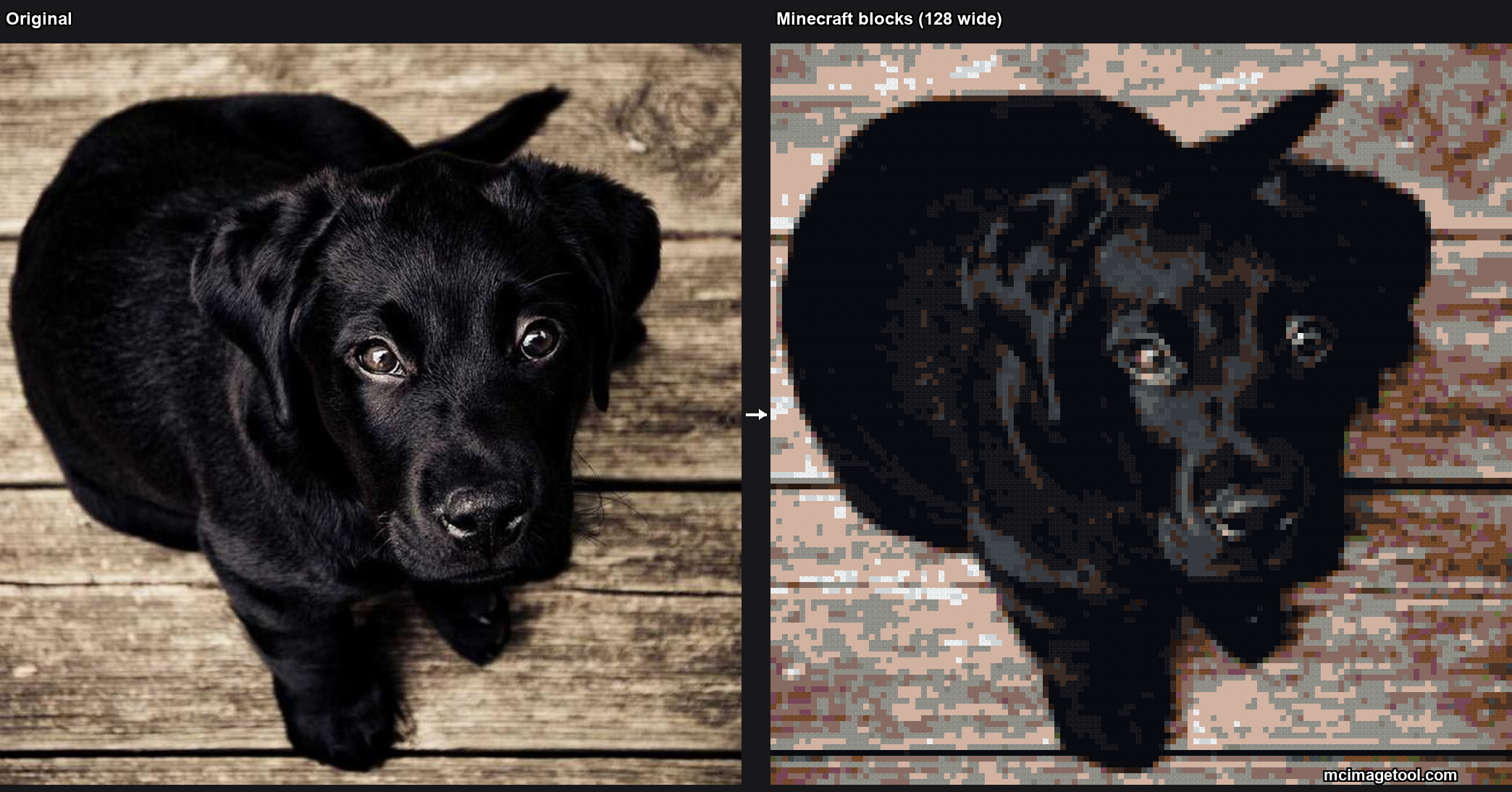
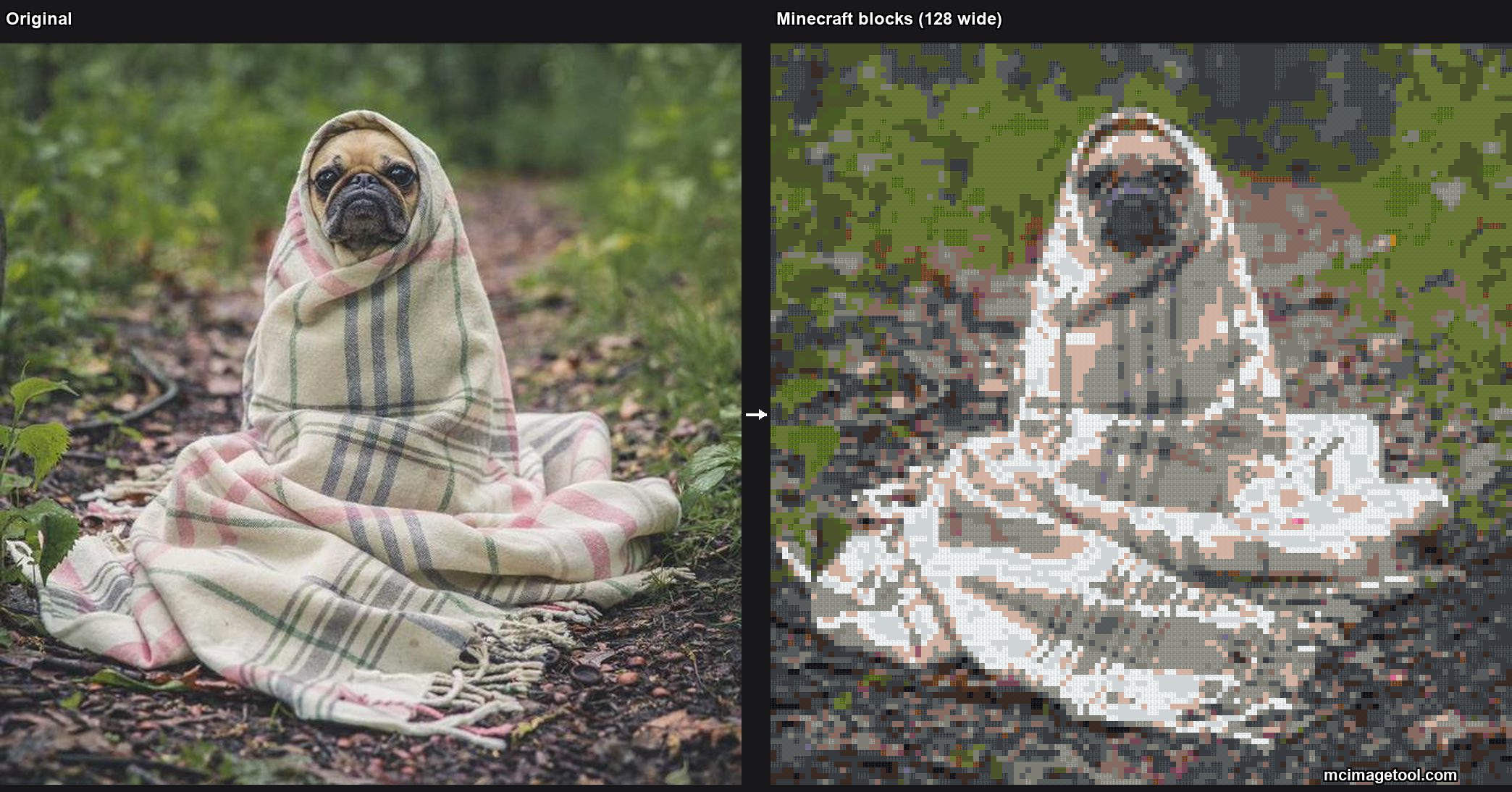
Two example conversions
Produced by this generator at 128 wide, using the official map palette.
Frequently asked questions
What is Minecraft map art?+
It is pixel art designed to be displayed on a Minecraft map item. A single map shows a 128×128 grid, so the design is built at that resolution using each block's map colour rather than its texture colour.
Why do I need a map-art generator instead of a normal one?+
Because a map does not show block textures — it shows a fixed palette of ~62 official map colours (extended to ~180 shades with staircase shading). A normal pixel art generator picks blocks by texture; a map-art generator picks blocks so their map colour matches your design.
What size should map art be?+
128 blocks wide equals exactly one full map. For larger art, build a grid of multiple maps (256×256 = 4 maps arranged in a 2×2 wall, 512×512 = 16 maps in a 4×4 wall).
How do I build map art in survival?+
Generate the design, grab the block shopping list, then lay the blocks flat on the ground (or as a staircase if you enabled shading). Once the build is complete, craft an empty map and right-click it on top of your art to capture it. Full step-by-step in the tutorial linked below.
Can I use staircase shading for more colours?+
Yes. Enabling the staircase (3D) mode places blocks at different heights so the game applies its brightness modifiers — this turns each base map colour into three shades (dark/normal/bright), roughly tripling the palette. The trade-off is you build in 3D instead of flat.
Does this work for both Java and Bedrock Minecraft?+
Yes, the official map palette is the same on both editions. Some blocks are edition-specific for survival availability, but the map-colour maths matches on both.